
Manual / When something looks wrong
What is new in this release
- For
- a controller, and anyone asking "has that change reached us yet?"
- Status
- current
- Covers
- the version chip, the update notice, and the What's new dialog
- Last checked against the app
0963ac5(2026-08-19)
The app tells you which version of itself you are running and what changed in it. That matters more than it sounds: "the feature does not work" and "the update never arrived" look identical from a control-room desk, and this is how you tell them apart in one glance.
What you are looking at
The version chip sits in the top bar between the ⚙ Settings button and the account block, on every tab. It shows a date — the day the release you are running was cut. Hover it and the tooltip gives the exact release name:
Version prod-20260811 — see what's new
On a build carrying changes that have not been released yet, the tooltip says so: "Version prod-20260811 (plus unreleased changes) — see what's new".
Clicking the chip opens the What's new dialog, whenever you like. You do not have to wait to be told.
The update notice is the bottom banner in the column under the top bar. It appears when the app has been released since this browser last looked:
Kinetic Melbourne OCC has been updated. 7 changes since you last looked. [What's new] ×
The What's new dialog
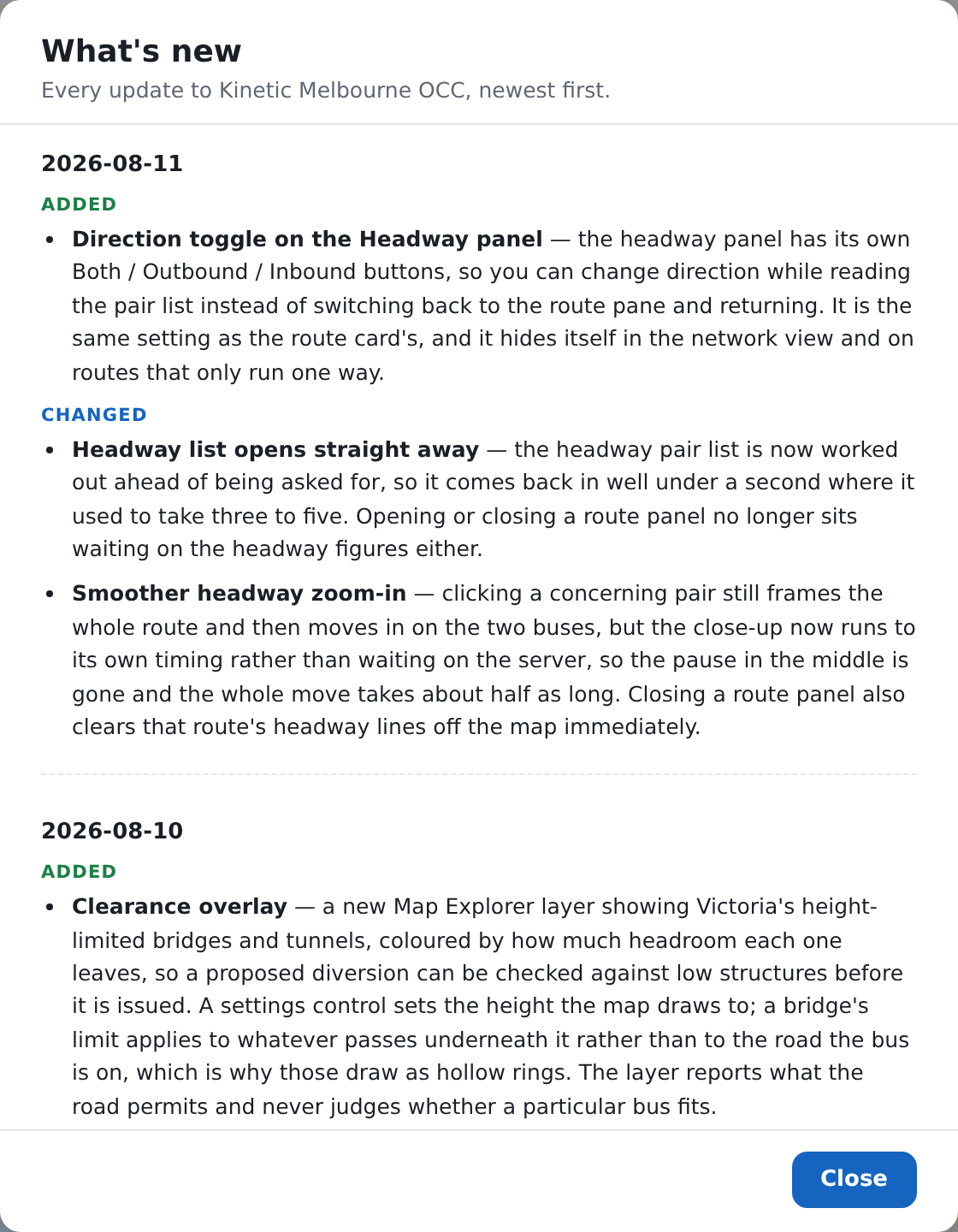
Releases newest first. Each one is headed by its date — hover the date for the exact release name — and its entries are grouped under the heading that says what kind of change each is:
| Heading | What is under it |
|---|---|
| Added | Something on screen that was not there before: a tab, a panel, an overlay, a column, a document |
| Changed | Something that behaves differently now, or a default that has moved |
| Fixed | A number that was wrong and is now right; something that did not work and now does |
| Removed | A control that has gone |
| Security | Anything about signing in, accounts or permissions |
Arriving from the notice, the dialog shows only what you missed and offers a Show all updates button. Opening it from the chip shows everything from the start. Close shuts it, and so does Escape.
Opening it counts as having read it, by either route — and so does dismissing the notice with its ×. Neither will come back until the next release.
Reading an entry
Every entry is one or two sentences written for someone who runs buses, naming the thing on screen the way the screen names it. They deliberately contain no technical detail — no internal names, no addresses, no version numbers beyond the release itself — because an entry that reads like an engineer's note is written for the wrong reader.
If a change is not in the list, it is because a controller could not have noticed it. Internal work, tidying, tests and build changes earn no entry.
What they do not mean
The chip is not today's date. It is the date of the release you are running. A chip several weeks old is normal.
Being told about a release does not mean your page is running it. The app in front of you is the one your browser loaded when you opened the tab. If a deployment happens while you are working, the way onto it is to reload the page.
"Since you last looked" is counted per browser, not per person. Sign in at another workstation and you may be told about the same release again. It is that browser's first look, not yours.
No chip at all is not a fault. A build with nothing released yet — a training copy, a test copy, a workstation running a development build — has no release notes to show, so there is no chip, no notice and no error.
A silent first visit is not "nothing has changed". The very first time this browser opens the app it records where things stand and says nothing, because greeting a newcomer with a history of changes they never missed is noise.
The release notes are not an incident log. They say what changed in the app. They say nothing about the road, the network, the feeds or any particular day's running.