
Manual / Getting started
Finding your way back
- For
- a controller
- Status
- current
- Covers
- the ◀ and ▶ buttons, the Recent ▾ menu, and the pick up where I left off banner
- Last checked against the app
0963ac5(2026-08-19)
You looked at something ten minutes ago and you want it back. This page is the three ways the app offers, and the one setting that has to be on before any of them exists.
Switch it on first
None of this is on by default. Open ⚙ Settings, go to Startup, and turn on Pick up where I left off. Under it is …but only if I was here recently, in hours, which starts at 12.
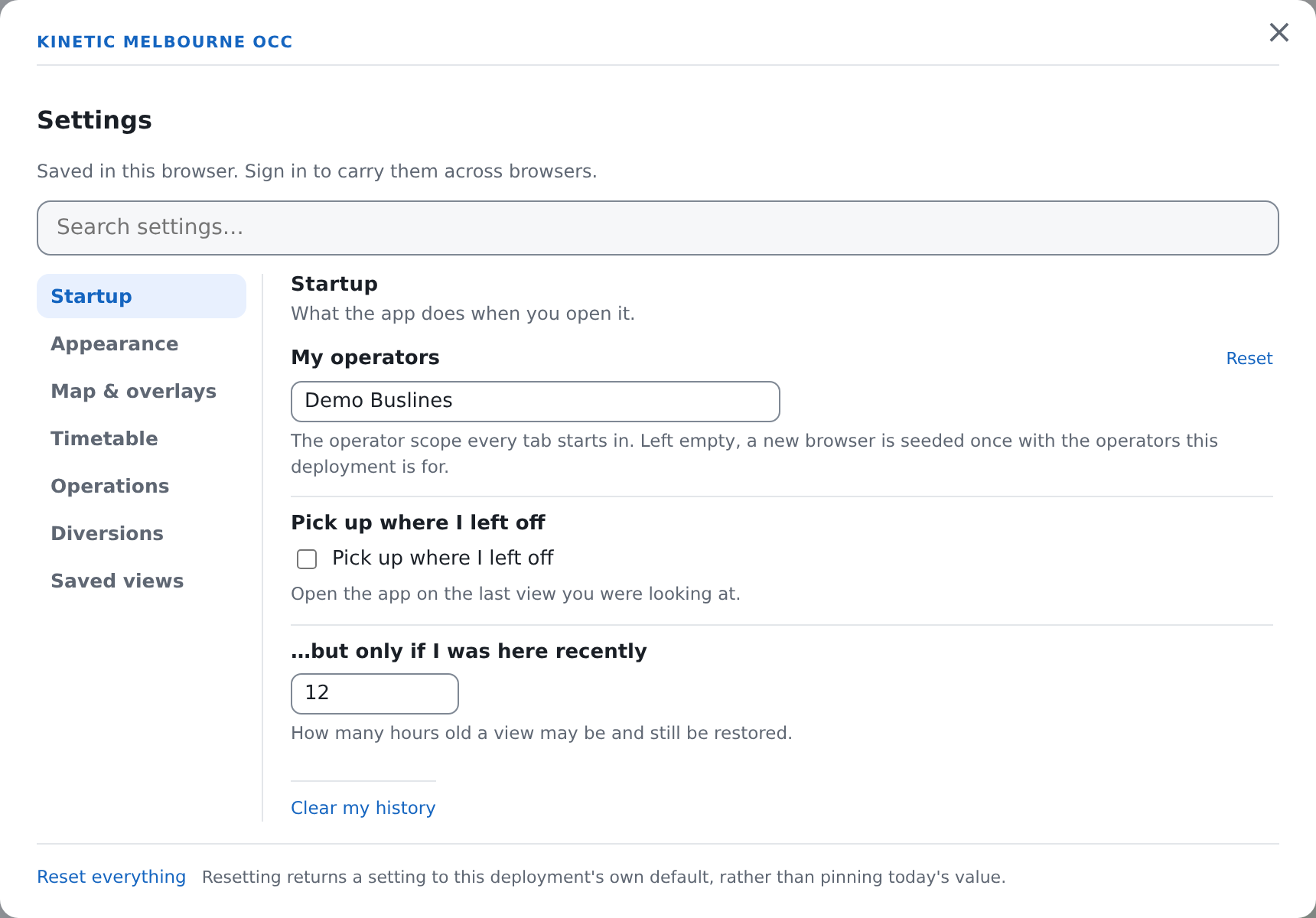
Until that switch is on, the app records nothing: the ◀ ▶ Recent ▾ group is not in the top bar, and no banner ever offers to reopen anything. That is deliberate. A tool that kept a minute-by-minute record of what you looked at whether or not you asked would be a tracking feature wearing a convenience feature's clothes.
What you are looking at
Once it is on and you have been to more than one view, three controls appear at the right of the top bar.
| Control | What it does |
|---|---|
| ◀ | Back one step. Its tooltip names the view it would land on — "Back to Timetable — Route 246 · Linear · Wed 12 Aug" — or says "Nothing further back in this session" when there is none |
| ▶ | Forward one step, with the same kind of tooltip, or "You are at the newest view" |
| Recent ▾ | A menu of the last dozen views, newest first, each with its age beside it — just now, 20 minutes ago, yesterday. The one you are on is marked. At the bottom is + Save this view… |
What counts as a step
A step is a change to what is displayed: the tab you switched to, the route you selected, the stop you opened, the filter you set, the drawer you opened.
Panning and zooming the map is not a step. The camera is remembered against the step you are already on, so going back to that step puts the map exactly where you had it — but ◀ never walks you through a series of pans. That is the distinction the whole feature is built on: you can retrace your decisions without retracing every drag of the mouse.
The offer to pick up where you left off
When the app opens and there is a recent view worth returning to, a banner appears under the top bar. It carries the view's name, how old it is, sometimes a caveat, and two buttons: Pick up where I left off and Start fresh.
It is an offer, and it never jumps on its own. Nothing moves until you press a button. Doing anything else — clicking a route, switching a tab — also counts as an answer, and takes the banner down.
The commonest caveat reads "The date was reset to today." It appears when the view you left was showing a past date: the app will reopen the screen, but on today's date rather than the old one, because silently reopening yesterday's timetable is exactly how somebody reads stale numbers as current.
The offer will not appear when any of these is true:
- you arrived by following a link. A link always wins; the sender chose the view, and your history must not overwrite their choice;
- the view is older than your hour limit;
- the view is on a tab you cannot currently reach — a saved Operations view while you are signed out, for example;
- you have not switched Pick up where I left off on;
- there is nothing recorded yet.
It also appears at most once, when the app opens. Signing in afterwards does not raise it.
Where all this is kept
In this browser, and nowhere else. None of it is sent to the server. It is kept separately for each person who signs in at this workstation, and swapped — never merged — when the account changes, because the anonymous trail on a shared control-room machine is as often the last person's as it is yours.
It holds the last 60 steps, forgets anything older than a week, and keeps the trails of the four most recent people on this browser. Clear my history, in ⚙ Settings → Startup, empties yours; it asks "Forget the views this browser has recorded?" first.
The two settings themselves — whether to record, and the hour limit — do follow your account to another machine. The history they govern does not.
What they do not mean
◀ is not the browser's Back button, and they walk different distances. The browser's Back steps through tab switches and nothing finer. These step through the route you picked and the panel you opened. They also deliberately add nothing to the browser's own history, so leaving the site never costs sixty presses of Back.
◀ is not undo. It reopens a view. It does not take back anything you saved, approved or activated while you were there.
The Recent list is not a record of what happened. It is a convenience, capped at a dozen entries on screen and sixty behind them, pruned after a week, and gone the moment this browser's data is cleared. If you need to know who did what and when, that is the record an administrator can see under Recent activity in the Admin Console, and it is a different thing entirely.
A saved view is not a Recent entry. Saved views are ones you named on purpose; they sit in the sidebar and follow your account. The Recent list is automatic, unnamed and local. + Save this view… at the bottom of the Recent ▾ menu is the one door between them.
Reopening a view does not reopen its numbers. Everything live — the buses, the delays, the overlays — is fetched fresh. What comes back is the screen you had, filled with what is true now.
The camera does not travel in a link. Copying the address and sending it to somebody sends the route, the tab and the filters, not your exact pan and zoom: their map frames the route for itself. Your own pan is remembered only for your own back and forward.