
Manual / Reading the numbers
No prediction is not the same as on time
- For
- a controller reading the live map
- Status
- current
- Covers
- the bus dots, the Bus panel, the route panel's Live buses list and the Headway panel
- Last checked against the app
6f7727e(2026-08-19)
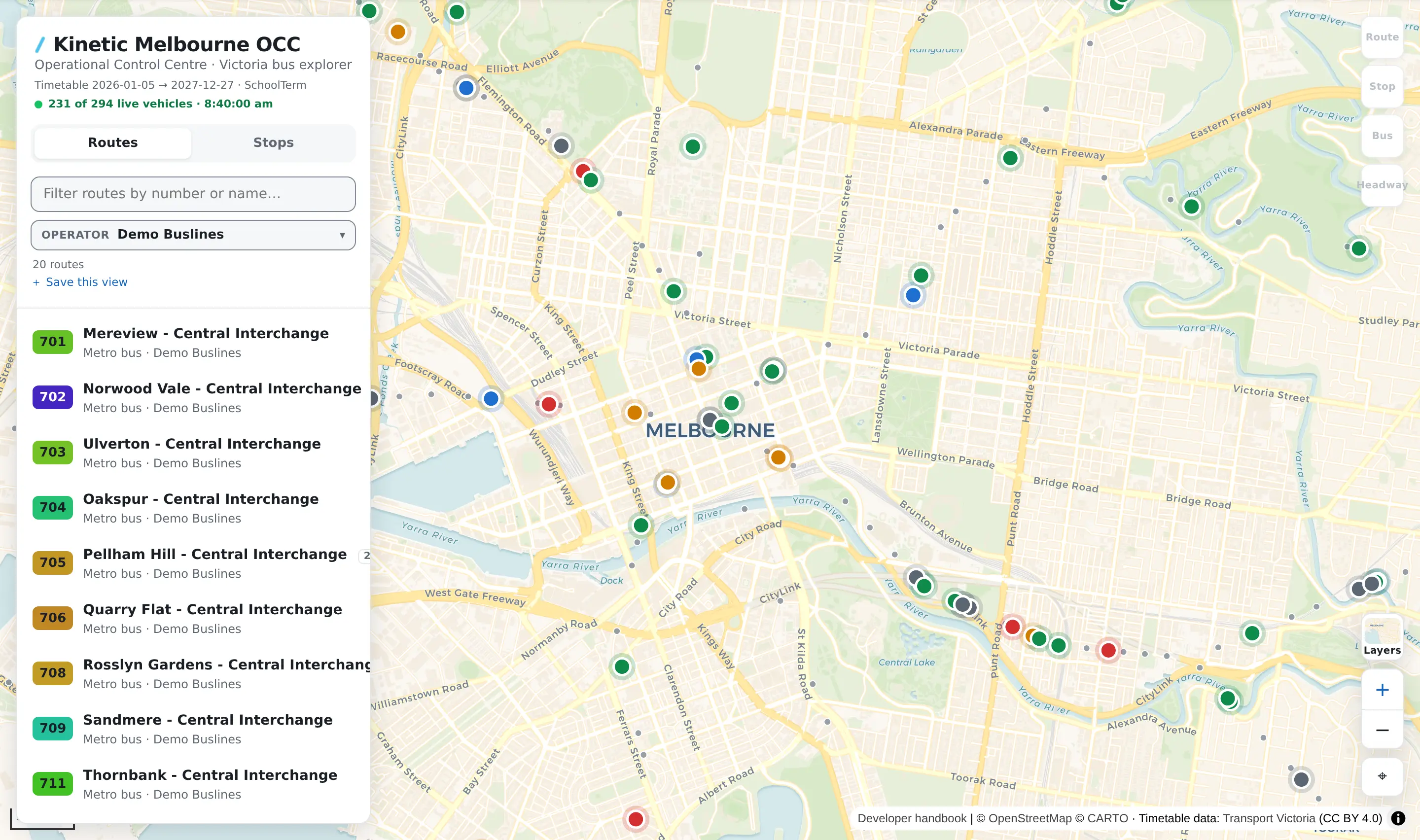
The live feed arrives on two channels. One says where a bus is; the other says how it is running. A bus can be on the first and absent from the second, and this app treats that as its own answer rather than pretending it is a good one. This page is every place that shows up.
The one sentence
Nobody has said how this bus is running is a different fact from this bus is on time, and the app never draws them the same way.
That distinction is worth the page because painting an absence as "on time" fabricates exactly the number every alarm keys on. A controller glancing at a network of green dots would be reading a network nobody has reported on.
Where you meet it
| Surface | On time looks like | No prediction looks like |
|---|---|---|
| A bus dot on the map | The on-time colour | Its own grey, which is not on the rest of the scale |
| The Bus panel, when you click a bus | A coloured pill reading On time | No pill at all — the whole status row is absent |
| The route panel's Live buses list | On time in the lateness column | A blank cell in that column |
| The Headway panel's pair list | A deviation figure and a band | A greyed row, band Unknown, and a note saying which of the two buses is missing |
| The Timetable's heatmap | A green cell | no data — its own class in the legend |
The headway note is worth quoting because it names the missing half rather than shrugging:
No live prediction for the bus in front — scheduled gap only.
and, where neither bus is reporting:
Neither bus is reporting — scheduled gap only.
Why a bus has no prediction
Two ways, and they are the same thing to you: the bus's journey is not in the prediction feed at all, or it is there and carries no prediction. Either way, nobody has said.
Common, blameless reasons: the journey has not started, it has been cancelled, or the feed simply has nothing for it. If every bus is grey, the prediction channel has stopped arriving — the map can keep placing buses perfectly while knowing nothing about how any of them is running, because positions and predictions come separately.
What they do not mean
Grey is not "slightly late" or "probably fine". It is not on the scale at all. It has its own colour in the palette — No prediction (bus) — precisely so that it cannot be mistaken for a band.
A missing prediction is not a missing bus. The bus is out; the app is drawing it at its last reported position. What is missing is somebody's statement about how it is running.
An empty cell is not a zero, and a missing pill is not "0 min late". The app prints nothing rather than a number it does not have.
A headway pair with no deviation never alarms, and that is correct. A pair the app cannot measure is ranked last, not first: absence is never news. It would be a worse tool if it raised an alarm every time a bus went quiet.
A blue map is not a map of on-time buses. Where the bus dots are set to say Which way it is going rather than How late it is running, colour is answering a completely different question and lateness is not on screen at all. So is the case on a deployment with no prediction feed, where the choice is not offered and the dots stay blue — colouring by lateness with no predictions would make every bus grey, which is a worse map than a blue one. The setting is ⚙ Settings → Map & overlays → Colour live buses by.
And a bus that is on time is not a bus running to plan. On time here is the Victorian window — anywhere from a minute early to five minutes late — so a green chip reading 4 min late is exactly right and not a contradiction. Two buses can both be well inside that window and still be running nose to tail; that is what the headway overlay is for, and it is blind to lateness on purpose.